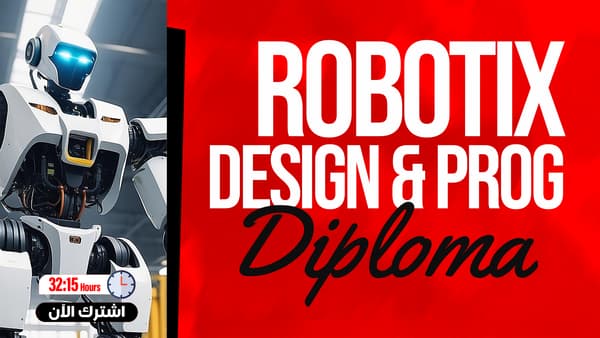
Design and Programming of Lego Mindstorms EV3
For Children, Youth, and Teens
What you'll learn
- Discover the world of robots and their history
- Understand Lego Mindstorms specifications and software
- Understand logic in robot programming
- Use blocks and the move block
- Program the robot to move
- Use the touch sensor and the color sensor
- Use the ultrasonic sensor
- Use the gyro rotation sensor
- Work with the data block and the advanced block
About this course
This course teaches the design and programming of the Lego Mindstorms robot, an interactive robot from Lego used to teach robotics to children and young people in many schools. It begins with the world of robots and their history, then introduces Lego Mindstorms, the software and the general specifications, followed by logic and robotics. Next you explore the program components and menus, the available blocks and the move block, you program the robot to move and you try applications of the move command. Then you move on to the sensors: the touch sensor, the color sensor, the ultrasonic sensor and the rotation sensor known as the gyro, along with the data block, its properties and an explanation of the advanced block. At the end you get ideas for building robots and ready-made files to download. The course suits children, young people, parents, teachers and anyone who wants to enter the world of robotics, and it needs no previous experience. Afterward you will be able to program the robot so it moves and reacts to its surroundings using sensors.
Expected outcomes
- Master programming robots using EV3.
- Design interactive robots using sensors and programming.
- Understand how to implement practical robotics projects.
- Analyze and solve problems using programming blocks.
Learner reviews
- ★★★★★زياد س.·منذ 2 شهرشاهد 100٪
تم عرض كل التقييمات (1)
Course content
1EV3 Robot Programming
15 lectures
- The World of Robotics and Its HistoryAn introduction to robotics: what a robot is, how each human sense maps to a robot sensor, how robots move, and the industrial, medical and military types, with a hands-on learning approach.11:19
- Introduction to Lego MindstormsIntroduces the history of Lego Mindstorms, building a first robot from the box contents, the parts of the EV3 brick and its software, and the WRO and FLL competitions.23:04
- Software and General Specifications for Lego EV3Describes the EV3 Brick specifications: ports, buttons, screen, SD card, ARM9 processor and Bluetooth, its main on-brick commands, and how to connect it to devices such as Android and iPad.15:17
- Logic and RoboticsExplains how to command the robot through software on a computer connected by cable, the difference between the Education and Home editions, and how to download and install LEGO Mindstorms EV3 on Windows.4:31
- Program Components and MenusTours the EV3 software interface: the lobby, projects, project properties, ready robot models and the tools menu, and how programming blocks are dragged in to build a program.8:31
- Existing Blocks and Motion BlockWalks through the main block palettes: Action, Flow Control (start, wait, loop, switch), Sensors, Data Operations and Advanced, plus drag and drop and downloading the program to the EV3.11:20
- Programming a Robot to Perform MotionFinishes the sound and status light blocks, then builds the first practical movement program with two motors: setting ports, power and rotations, then transferring and running it on the EV3.13:03
- Motion Command ApplicationsMovement command exercises: programming the robot to go forward, right and back using Move Steering blocks, connecting the motors to the correct ports and setting power and rotations.14:43
- Sensors and Touch SensorIntroduces sensors with the Touch Sensor and its states, the wait block, and a program that drives the robot forward until it touches a wall, then reverses and turns.20:34
- Color SensorExplains the Color Sensor and its modes, if/else conditions and loops, with a project where the robot keeps moving until it detects black and stays inside the frame.17:04
- Ultrasonic SensorExplains the Ultrasonic distance sensor: its definition, uses, programming blocks and centimeter or inch measuring modes, with an obstacle-avoiding robot project and a comparison of loop and wait.18:31
- Gyro SensorExplains the Gyro Sensor for measuring angles, its programming blocks, the need to mount it correctly and reset its value, with a project making the robot circle around a cube.12:55
- Data Block and Its PropertiesCovers the Data Operations block: variables, constants, array operations, logic operations such as OR, XOR and NOT, and the math, Compare and Range blocks.13:00
- Advanced Block ExplanationCovers the Advanced blocks in the EV3 software: file access, data logging, text messaging, Bluetooth, raw sensor values, the unregulated motor and the comment block.9:24
- Ideas for Building Robots and Ready FilesIdeas for building robots from ready assembly files, including Droidbot, Droid GR and an infrared-sensing robot, with motors and sensors connected to ports, and a nod to the WRO and FLL competitions.5:27
2Add-ons
1 attachments
- Loading Add-ons
Instructor

Eng. Kanaan Al-Hallaj
This course is part of the diploma